

Medical Billing Automation: What It Covers, and Where It Stops
September 20, 2026
AI Prior Authorization: The Difference Between Flagging a Gap and Closing It
October 1, 2026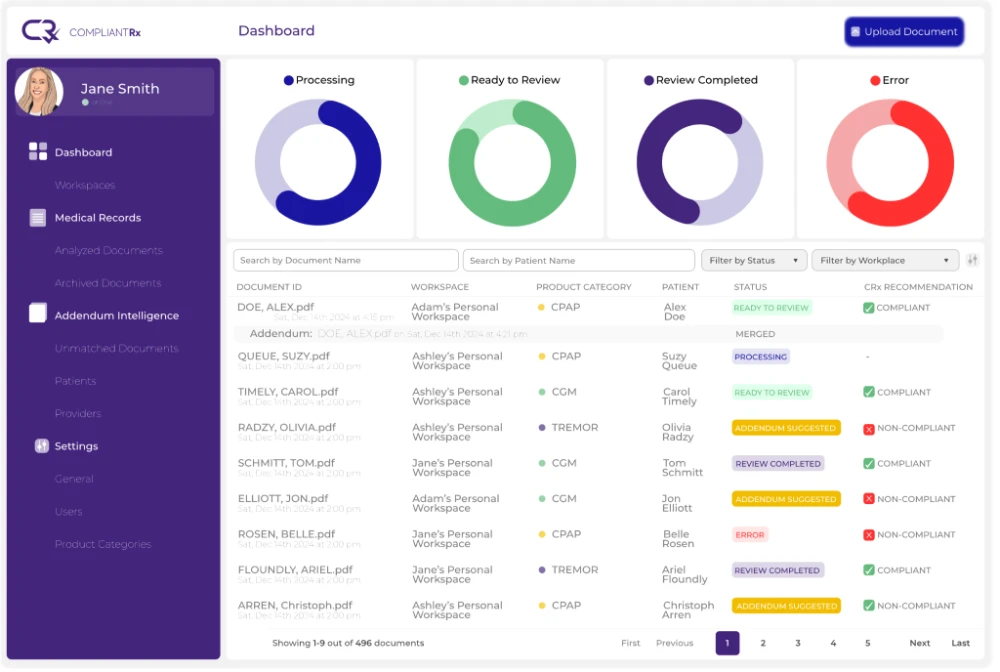
Prior authorization automation uses software to handle parts of the prior auth process, such as spotting when approval is needed, gathering paperwork, and tracking status.
Here is the straight version. Prior auth is growing, and it adds no clinical or revenue value by itself. Every one is a cost per order. That makes automation appealing, but not every step can be automated.
This is an assessment of what works, what does not, and where the time savings actually sit.
What prior authorization automation actually means
Prior authorization automation is the use of software to handle parts of the prior auth process. In practice, that can include:
- Detecting when a prior authorization is needed
- Assembling the required documentation
- Submitting the request
- Tracking its status
For DME suppliers, prior auth is pure overhead. It does not treat a patient or add revenue. It is a toll paid to get paid.
And the toll keeps growing. CMS continues to expand its Required Prior Authorization List, with new items taking effect nationwide on April 13, 2026.
So the goal is not to automate prior auth for its own sake. The goal is to cut the minutes each one costs per order.
What can be automated, and what cannot
Some steps follow clear rules, so software handles them well. Others depend on payers or people, so they resist automation.
| Prior auth step | Automates well? | Why |
| Detecting whether prior auth is needed | Yes | Product codes and payer rules can be checked automatically |
| Building the documentation checklist | Yes | Requirements follow set payer criteria |
| Checking documents against payer criteria | Yes | Software can scan records and flag gaps |
| Status tracking and alerts | Yes | Updates follow a repeatable pattern |
| Portal submission to every payer | Not cleanly | No standard form, and portals change often |
| The payer’s approval decision | No | It is the payer’s call, not a software task |
| Unusual or unclear cases | Not reliably | Needs human judgment |
Two points stand out. Payer portals have no standard form, and they change often. And the approval decision belongs to the payer, not to software.
That is why claims of end-to-end automation deserve a closer look. They tend to skip over portal differences and the cases that need a person.
A realistic plan automates the steps that follow clear rules and keeps people on the rest.
Where automation returns the most time: the documentation point
The biggest time cost is rarely submission. It is the work that happens before it.
Staff dig through the chart for:
- The standard written order
- The face-to-face encounter note
- The clinical justification for the item
Then they check each item against the payer’s rules, one order at a time.
That hunt is where teams lose most of their time, often 20 to 30 minutes per order. It is also the part automation handles most cleanly, because the requirements are specific and repeatable.
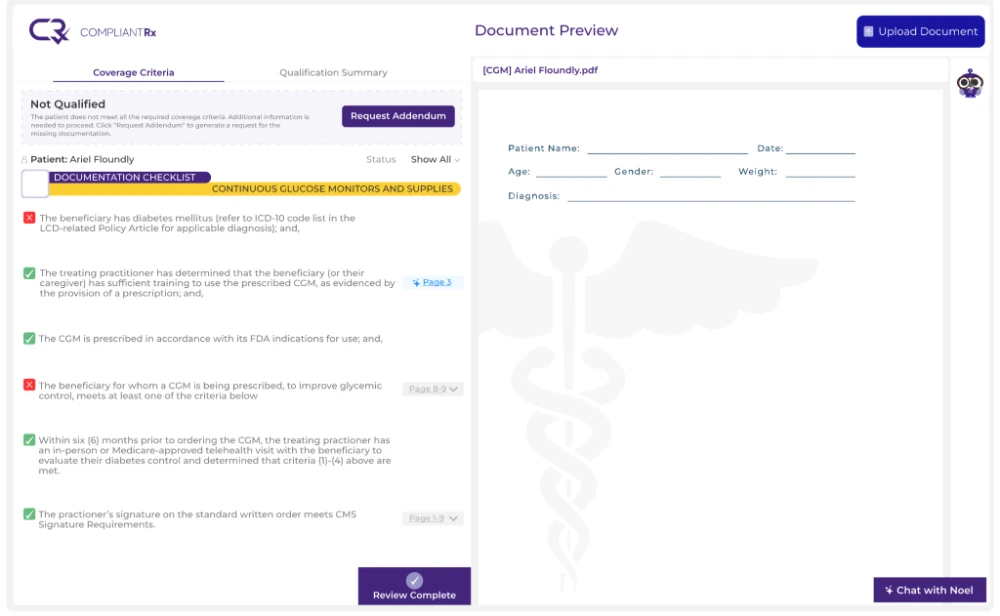
This is where CompliantRx works. At intake, the platform identifies what a prior auth needs, pulls it from the incoming documents, and flags what is missing before anything goes to the payer. Addendum Intelligence™ can also generate corrective language to send back to the provider.
CompliantRx does not submit requests through payer portals or make approval decisions. It handles the documentation side. With CompliantRx, that review takes 2 to 4 minutes per order.
Learn how AI medical record review works at intake.
How to start: highest-volume categories first
Do not try to automate everything at once. Start where volume and friction are highest.
A simple path looks like this:
- Pick the product lines with the most orders and paperwork, such as CPAP, mobility, or CGM.
- Automate the documentation gathering and checking there first.
- Measure minutes per order before and after.
- Expand to the next product line once the numbers hold up.
Tracking cost per order keeps the project grounded. If minutes per order do not drop, adjust before expanding.
Schedule a demo to see how CompliantRx automates the documentation side of prior auth at intake.
FAQs
- What parts of prior authorization can be automated?
Detecting when it is needed, assembling documentation, checking it against payer criteria, and tracking status. Portal submission and payer decisions do not automate cleanly.
- Does prior authorization automation reduce denials?
Indirectly. Complete documentation upstream helps reduce prior auth related denials, but it does not control the payer’s decision.
- How much time does prior authorization automation save per order?
Most of the time sits in documentation. A manual review can take 20 to 30 minutes per order, compared with 2 to 4 minutes with CompliantRx.